
Multiple brands and domains: compare, announce to all, move domains
The more brands you run, the more time you lose signing in and out of one system at a time. The group-level and platform-level tools use custom terms. See packages and pricing (page in Thai). The package includes the back office and your brand's player site in one bundle. If you're planning a turnkey betting website with several brands in one group, see whether the brand comparison table answers what you want to see every morning.
Not for: people who run one brand and have no plan to expand. The group-level tools won't pay off yet.
6
Features in this group
6
Items you can try in the demo
All
The demo uses sample data throughout
Every page in the demo uses sample data and has nothing to do with any brand's money or accounts
Multiple brands and domains: feature by feature
- sample in the demo
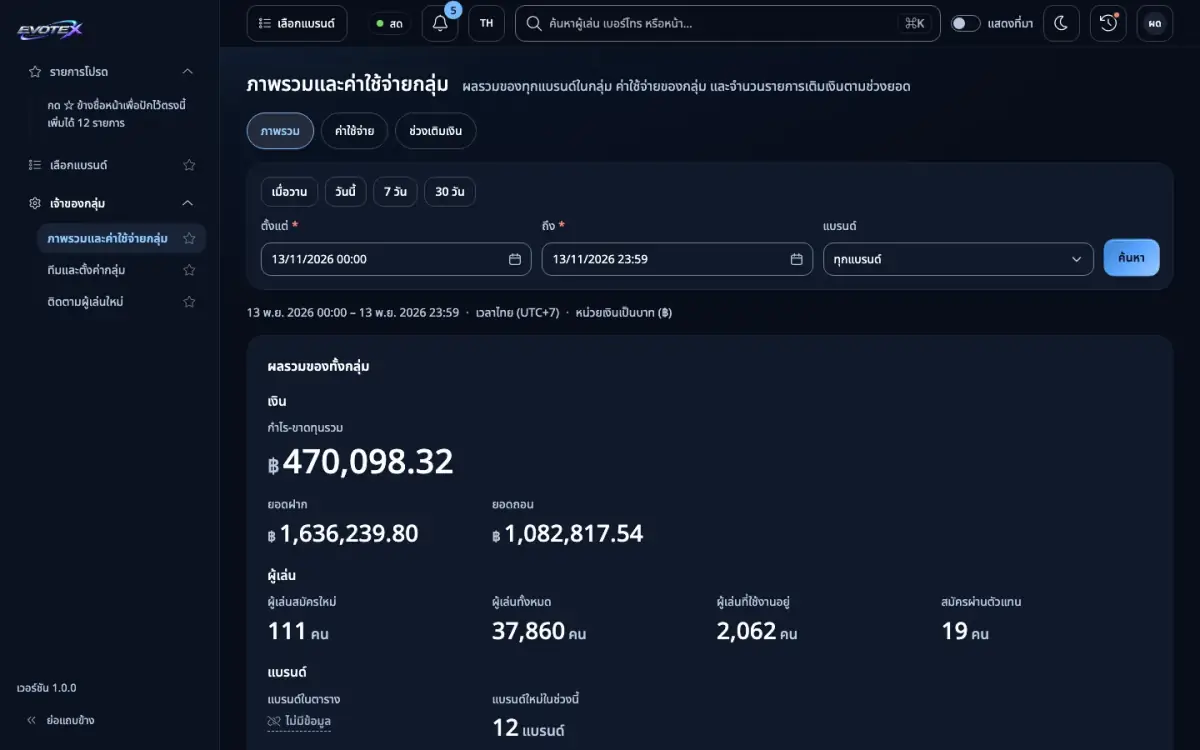
The group home page: a by-brand table
See deposits, withdrawals, net, and pending withdrawals for every brand side by side
The group home page gathers the group's cumulative net, with a chart of the share of deposits by brand and a table with the columns deposits, withdrawals, net, and withdrawals pending now. You can filter to only the brands with pending withdrawals or a negative net. A group owner knows which brand's team to call first. A single overview is enough for a morning check.
Cross-brand numbers in the demo are estimates, as the strip on the page says
- sample in the demo
Tick brands and compare them in one panel
Pick two or more brands and compare them right away
Tick two or more brands in the by-brand table and open the compare panel to see each brand's numbers side by side. A group owner uses it to see which brand needs help, or to take the approach of a brand that's doing well and use it on another brand. Tick a new set and keep looking right away.
Cross-brand numbers in the demo are estimates, as the strip on the page says
(sample data from the EVOTEX demo) - sample in the demo
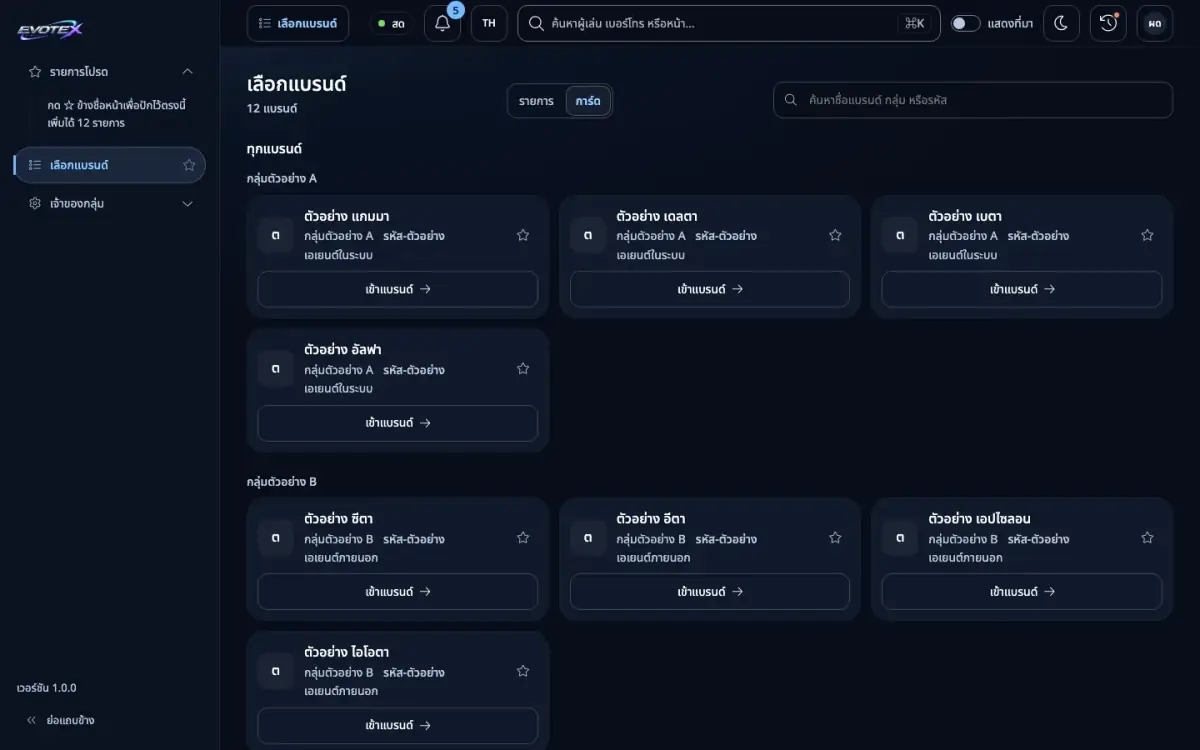
Choose a brand or group to enter
Switch brands in a few seconds, without signing in again
The Choose a brand page has a search box, a recently used list, and selection with the up and down arrows followed by Enter. One account can hold several brands or several roles. The scope card under the logo always says which brand you're looking at. A user who has only one brand skips this page and goes straight to the Today page.
(sample data from the EVOTEX demo) - sample in the demo
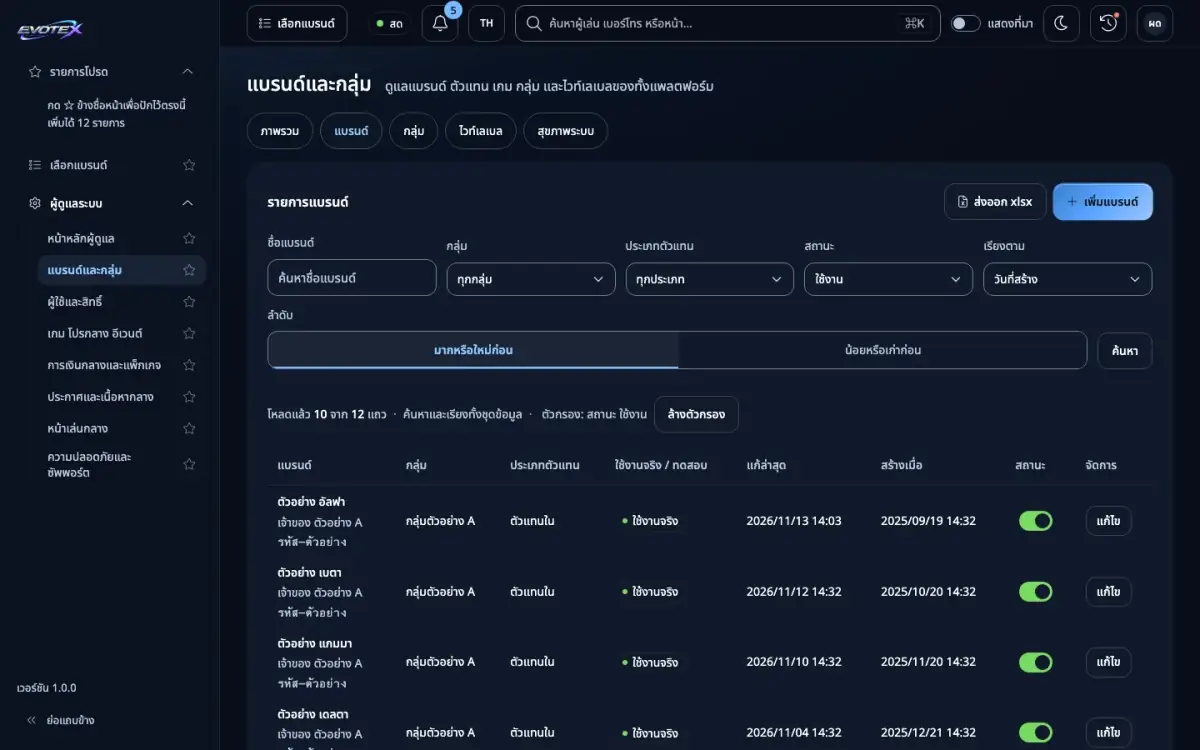
Create a new group with its group owner
Open a group and the owner's account from one form
A platform-level admin can create a new group together with its group owner from a single form. The system checks the data before saving, so there are no half-created groups. The same page shows the overview of the platform, such as the number of groups, the number of brands, and today's net for the whole system, with no need to go into several systems to change things.
Platform admin only. Switch the view in the demo first
(sample data from the EVOTEX demo) - sample in the demo
Announce to every brand at once
Write one announcement and send it to every selected brand at the same time
A platform admin writes one announcement and sends it to every brand. You have to fill in the title and the message in both Thai and English, set a send time, and choose the brands to send to. Use it to tell brands about a system upgrade or a shared announcement quickly, without notifying brand by brand. One announcement is enough for every brand you select.
It doesn't yet show who has read it. Switch the view in the demo first
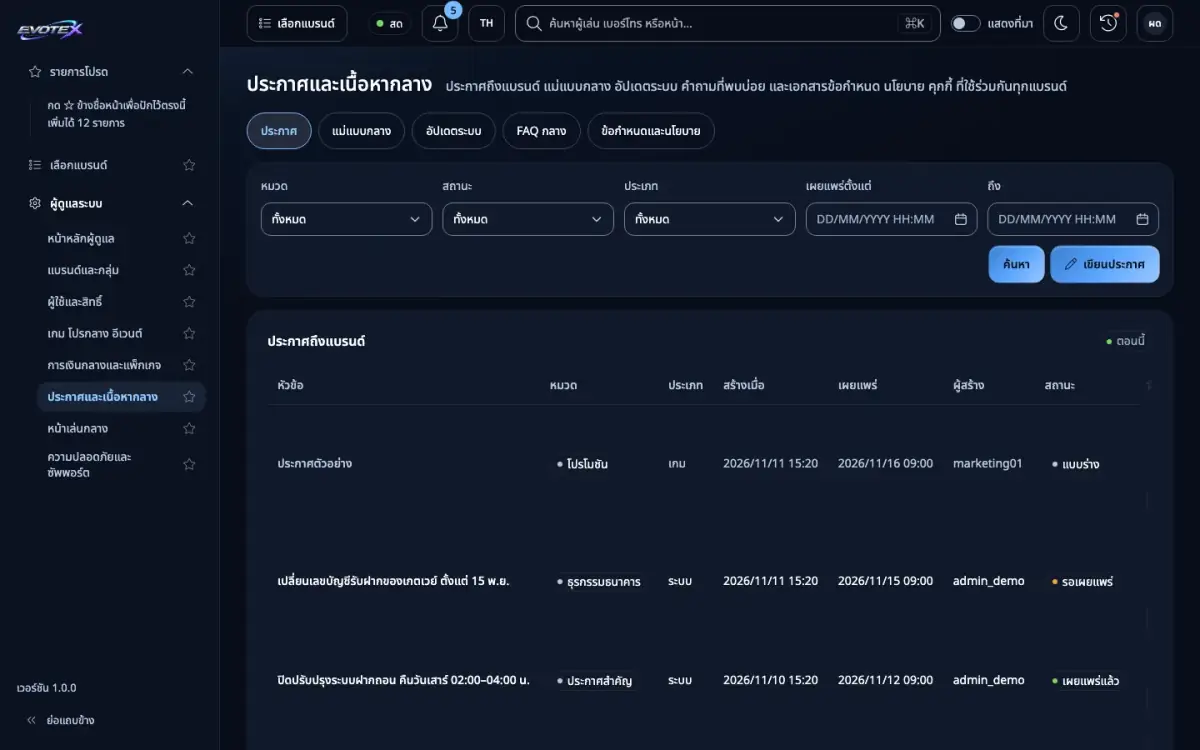
(sample data from the EVOTEX demo) - sample in the demo
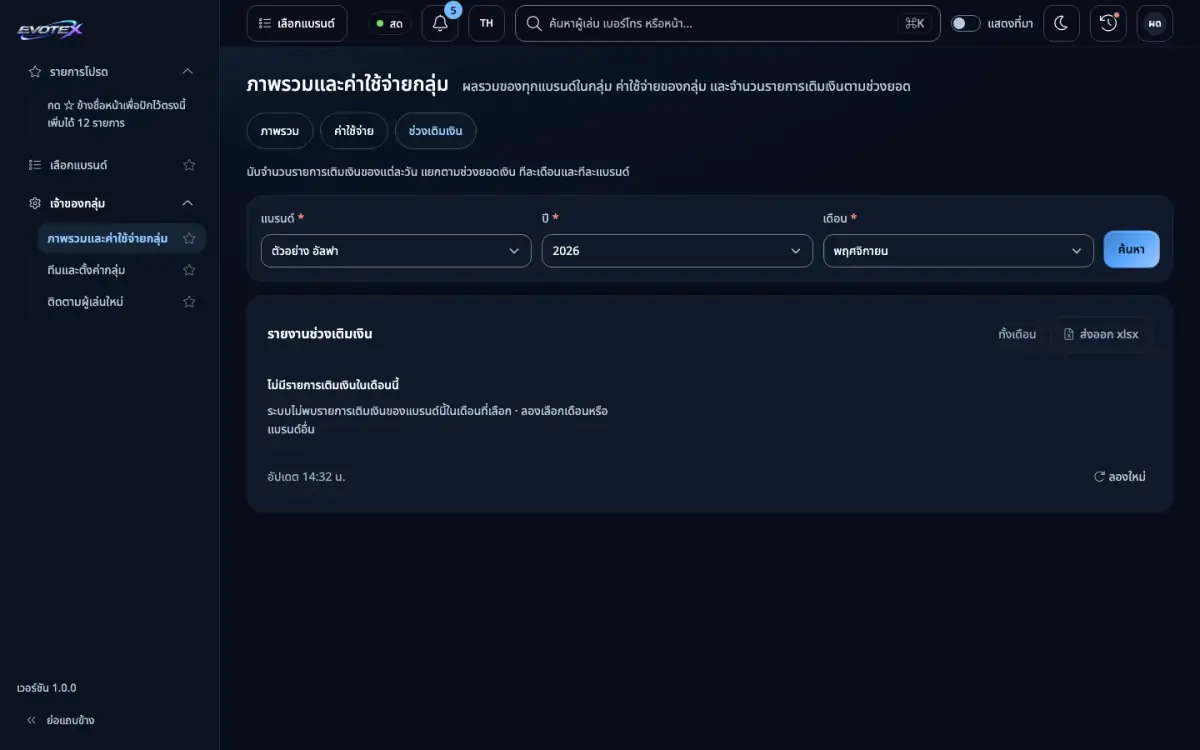
Manage a brand's domains: add and move
Change a brand's web address: add, verify, and move DNS from one back office
A brand changes its web address when it has a new domain. A platform admin adds the new domain to the brand from this page. The system gives you 2 nameserver values to set at the domain provider, then confirms that it works and lets you move the DNS. There's a history of domain changes per brand to look back on. Redirecting visitors from the old domain to the new one has no screen in the demo yet.
Platform admin only, and brands can only view
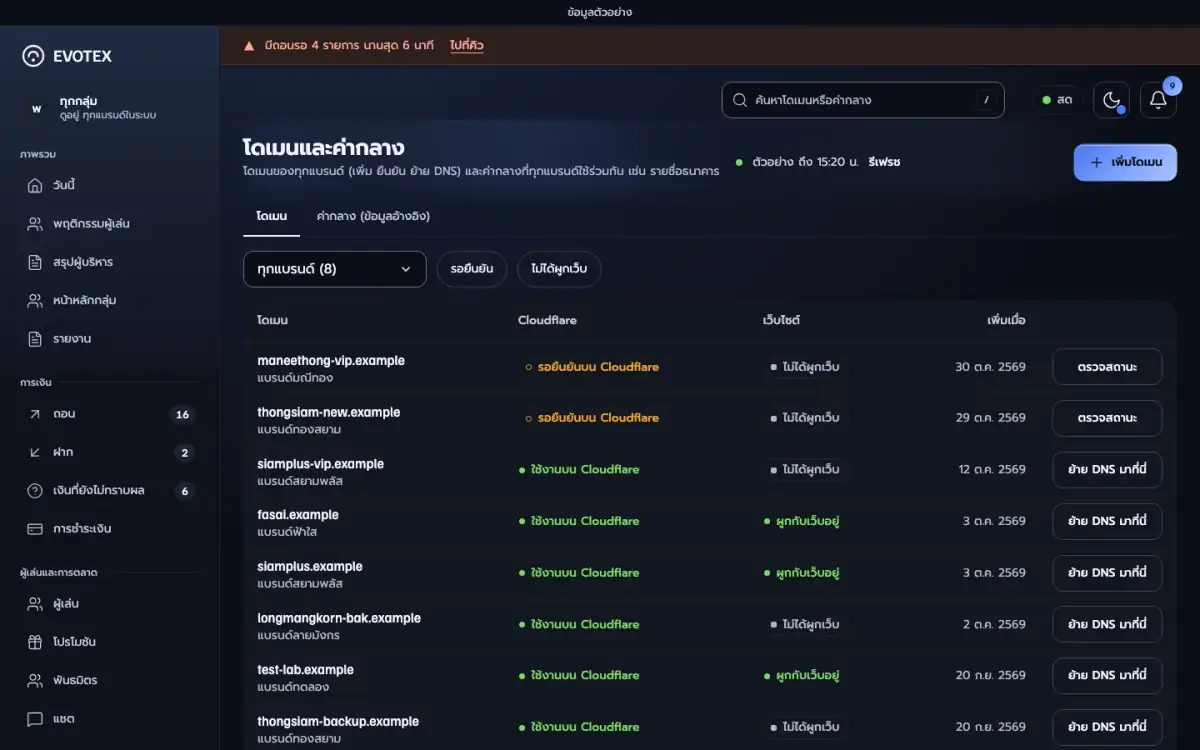
(sample data from the EVOTEX demo)
Not in the demo yet
Items that are not in the demo yet
- Setting up a redirect from an old domain to a new one is in the system documents, but there's no screen for it in the demo yet.
- Numbers for brands other than the one you're viewing are estimates in the demo.
Frequently asked questions
Which package is the brand comparison table in?
The group-level tools, such as the brand comparison table and announcements to every brand, are under custom terms. You can request a quote at packages and pricing (page in Thai). The EVOTEX package for one brand uses the brand's regular Today page.
How long does a domain move take?
We don't give a number, because the time depends on the domain provider and on DNS propagation. The Domains page shows the status clearly while you work, such as awaiting verification, or zone not ready yet.
How do I try the platform admin features in the demo?
Click the Switch view (trial) button on the name card under the side menu. The menu then adds the platform admin pages, such as brands and groups, and domains. This button exists only in the demo. In a real system, permissions are set by role.
Related reading
Managing several brands in one back office
EVOTEX splits management into three levels: brand, group, and platform. Several brands need custom terms.

Want to see the real thing before you talk to us?
Our team's target is to open a new brand within 14 to 21 working days after the scope is agreed. That's a target, not a guarantee. See packages and pricing (page in Thai), or keep reading about the multi-brand back office, before you talk to our team.
See the package and price (page in Thai)