
Money in and out: finance team work done faster on one page
The finance team deals with money all shift. The fewer pages they open and the fewer clicks they make, the faster the work gets done. So the EVOTEX back office puts deposit and withdrawal work on just a few pages. This part of the back office comes in the same package as your brand's player site. If you're planning your first turnkey betting website, go through the features one by one and ask whether your finance team could work this way.
Not for: people who want this site to confirm which deposit channels are open. The real channels depend on each brand's connections. Ask our team when you discuss the scope.
8
Features in this group
7
Items you can try in the demo
All
The demo uses sample data throughout
Every page in the demo uses sample data and has nothing to do with any brand's money or accounts
Money in and out: feature by feature
- sample in the demo
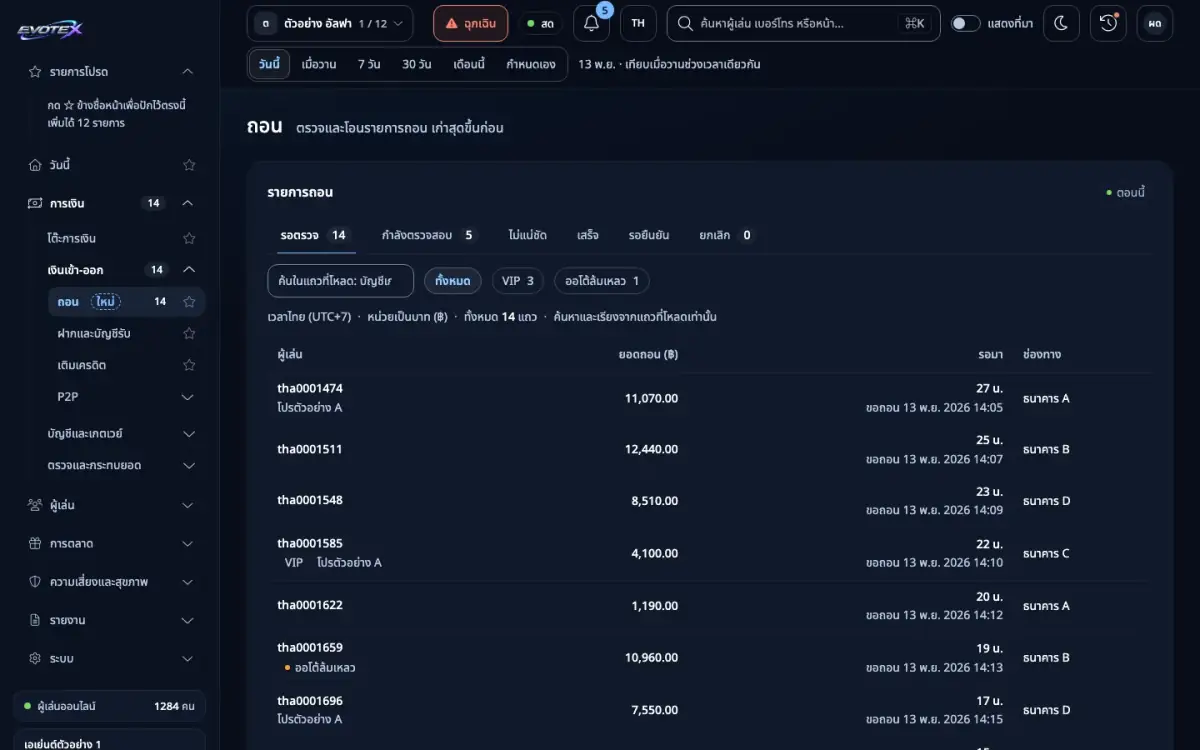
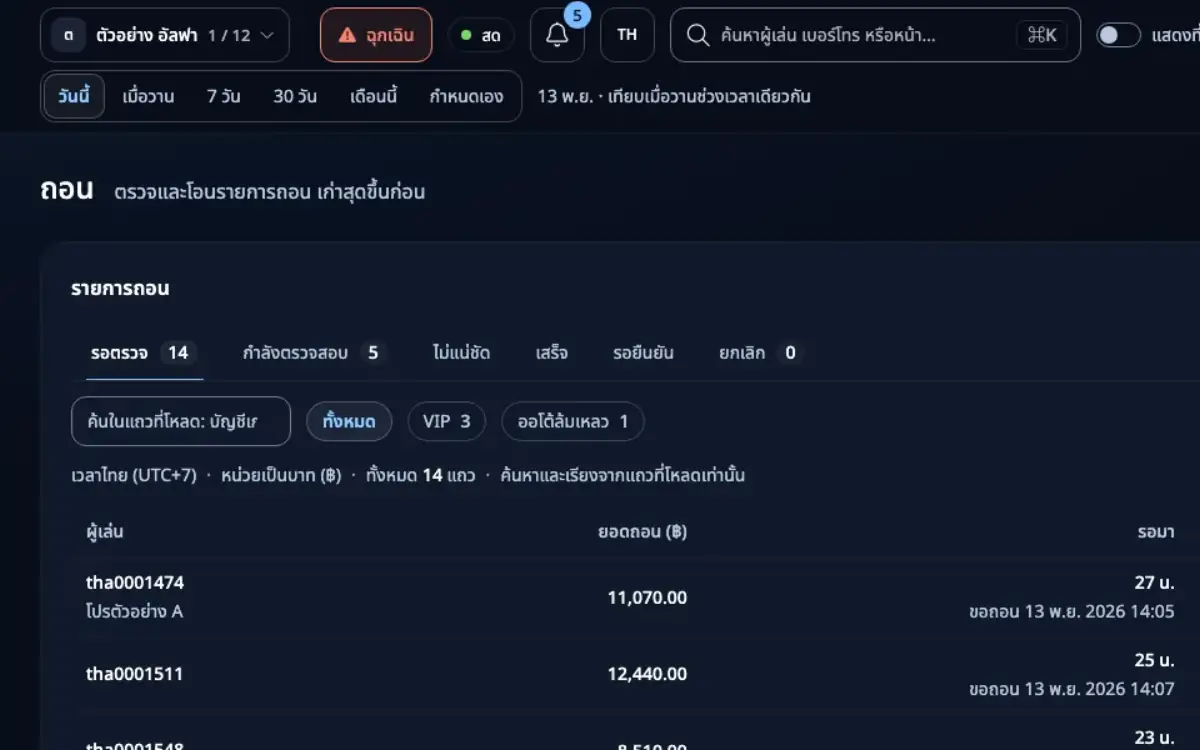
A one-page withdrawal queue with totals by status
The finance team sees waiting items, totals, and statuses on one page
Open the Withdrawals page and you see the waiting items split into ready, awaiting review, and claimed, with a total for each group. You can filter for high amounts or items with a warning signal, and switch between a table and cards. The finance team knows which row to start from without opening several pages.
- sample in the demo
Approve or reject from the panel beside the row
Click one row to see the details and decide right away
Click any row and a details panel opens beside it, showing the player's partly masked data and the warning signals for that item. You can approve or reject right from this panel, with no trip back to the list. The finance team can check and decide in one go, and the result shows in the same row straight away.
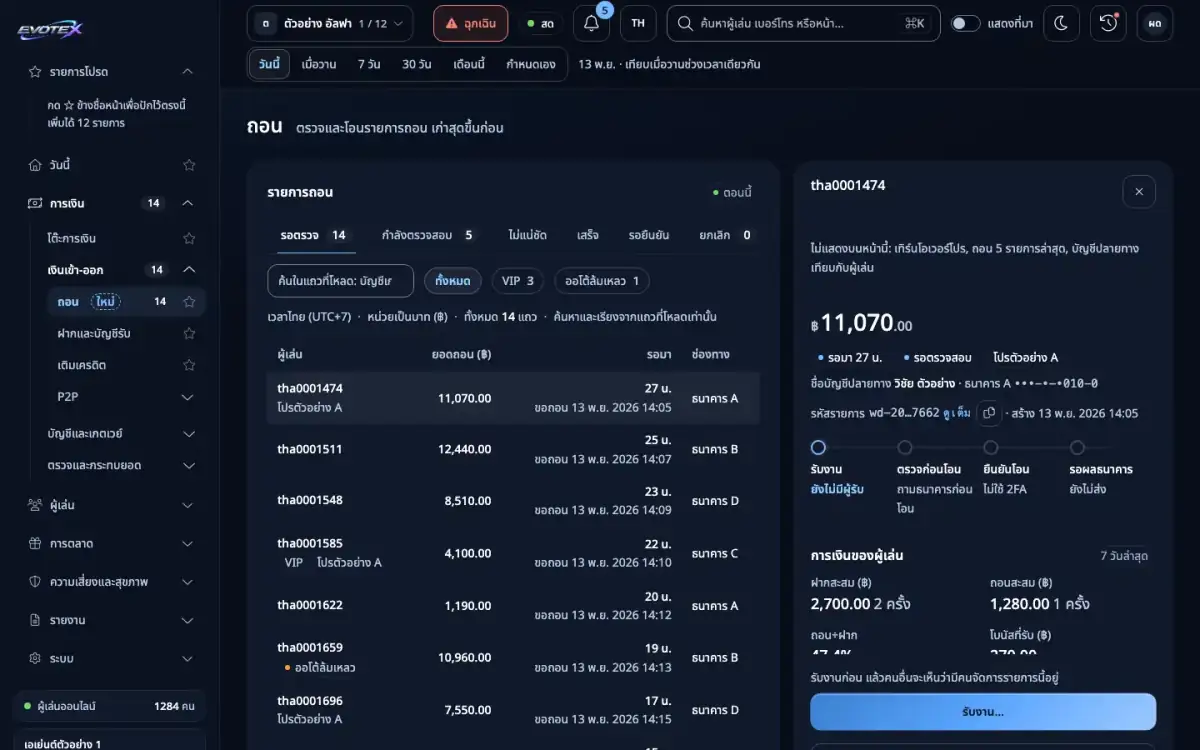
(sample data from the EVOTEX demo) - sample in the demo
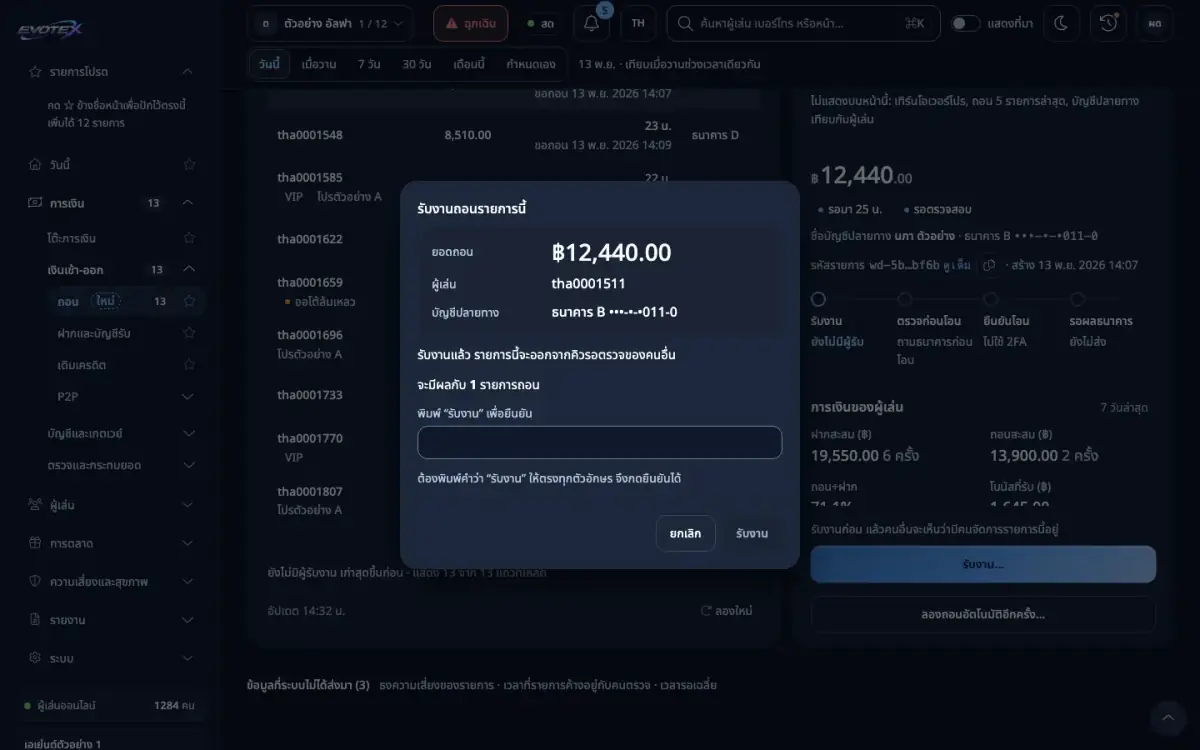
Approve everything that's ready in one batch
Several ready items can be finished in one round
Tick all the ready items and confirm once. The system sends the commands one item at a time and shows the result on each row, so a busy shift doesn't have to click row by row. The confirmation box summarizes the items before sending and says clearly that the money will be sent right away and can't be undone. The bar at the top shows the number and total of the selected items, so the team can check before confirming.
The system sends the commands one item at a time, not as a single command
(sample data from the EVOTEX demo) - sample in the demo
Approve, and see the result in the same row
No refresh, and no hunting for the old row in a new list
After you click approve, the row shows a result label straight away. The finance team knows whether the item went through without going back to look for it, and moves on to the next item. Someone sitting on the withdrawal shift all day barely has to move between items, and doesn't wait for a page to reload before the next one.
(sample data from the EVOTEX demo) - sample in the demo
Approve withdrawals from a phone
Decide on an important item with one finger while you're on the move
At a 390 px phone width, the withdrawal table shrinks into cards, one per row, and the details panel slides up from the bottom of the screen. An owner or finance lead can approve an important item when they're away from a computer. Both the approve and reject buttons work as on a big screen, and there's one main button per page, so a wrong tap is less likely.
Checked in a browser at 390 px, not tested on real devices yet
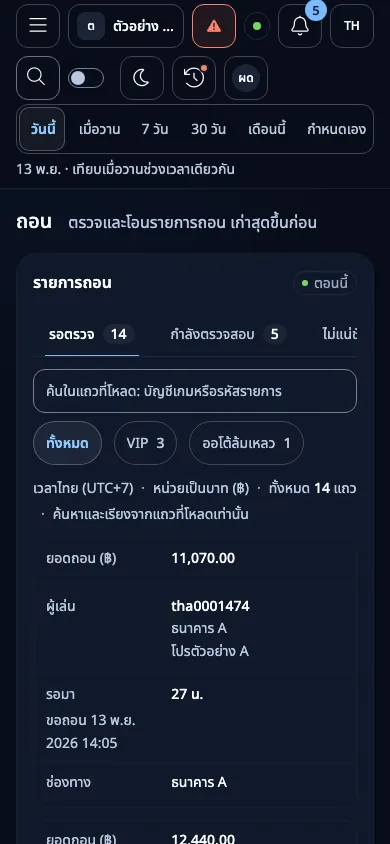
(sample data from the EVOTEX demo) - sample in the demo
Top up for a player in two steps
Give the reason, check the result, then confirm. The system warns about a repeat top-up
Step one: enter the player, the amount, the time of the transfer, the receiving account, and the reason, for example the player transferred the money but it didn't arrive. Step two: review the check result and confirm. If it's the same player and amount close together in time, the system asks you to tick a confirmation first. The finance team can fix a deposit that didn't arrive by themselves, from a single page.
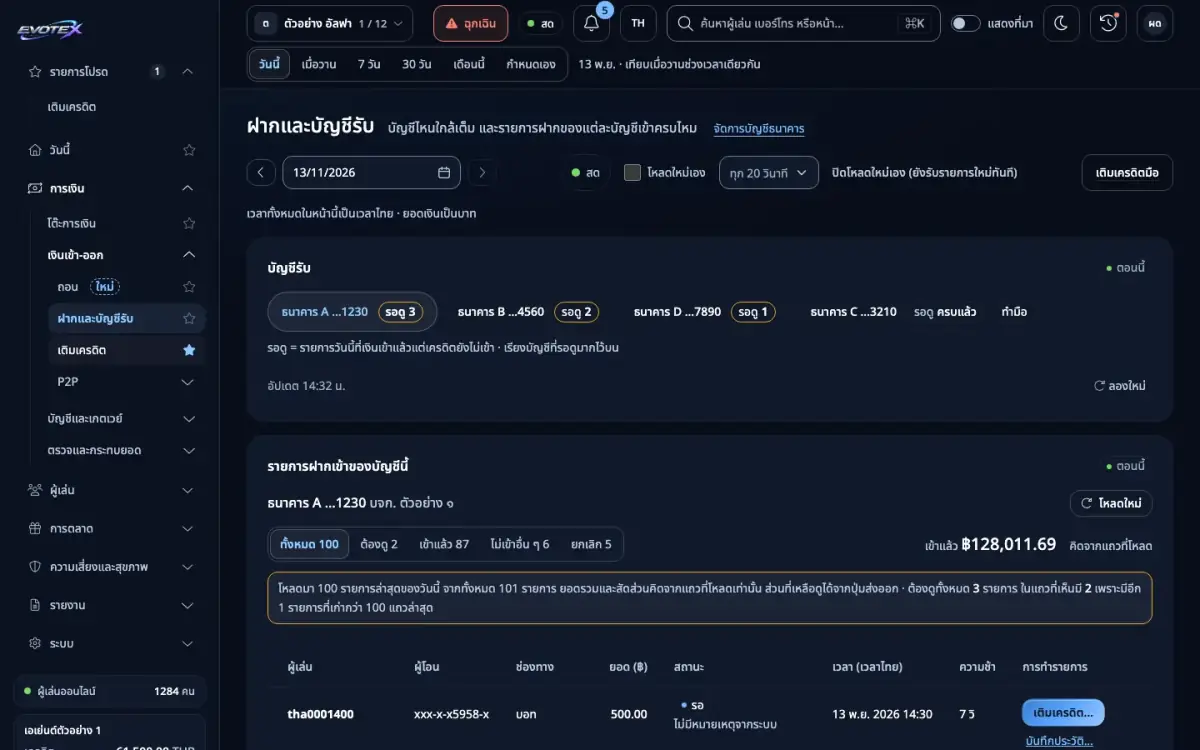
(sample data from the EVOTEX demo) - sample in the demo
Rotate receiving accounts by time or by amount
Set the rule for switching receiving accounts once, with no changing by hand
The finance team sets a plan for switching receiving accounts once, for example switching by time of day, or switching when an account's running total reaches a set amount. You can then turn the plan on or off from one page, with no table to keep and no need to remember which account's turn it is. The demo has a sample plan you can turn on and off. The system holds the rule, so no one has to watch all day.
- designed, not in the demo
Set payout accounts for automatic withdrawals
Choose the payout accounts and the automatic flag ahead of time
The Payout accounts page lets the team choose which accounts are used for automatic withdrawal payouts, and set an automatic flag per account. This screen is in the demo already, but real automatic payouts have to be connected to the brand's provider at installation, so they are still only designed, not live. Ask our team which channels can be opened.
Automatic payouts must be connected to a provider at installation
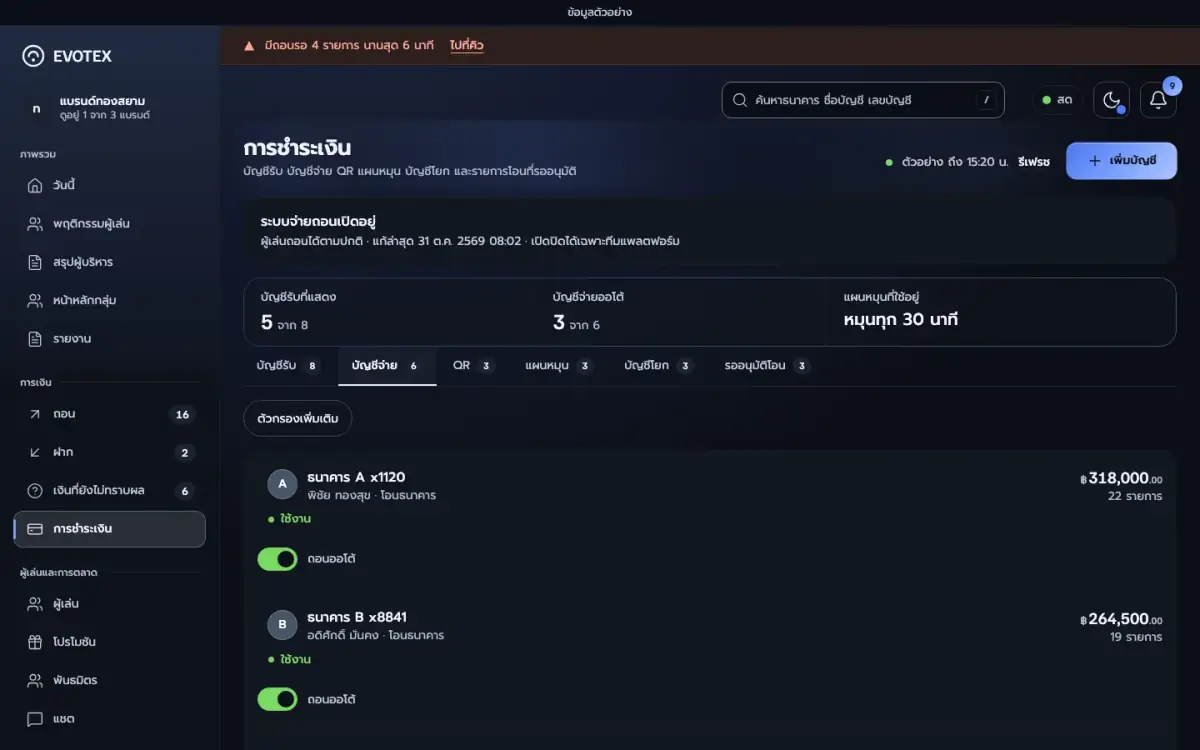
(sample data from the EVOTEX demo)
Screens from the newer back office
More screens of this group from the newer back office, blue theme. It looks different from the demo above, which has a teal theme. You can only view the pictures; you cannot try it in the demo on this site.
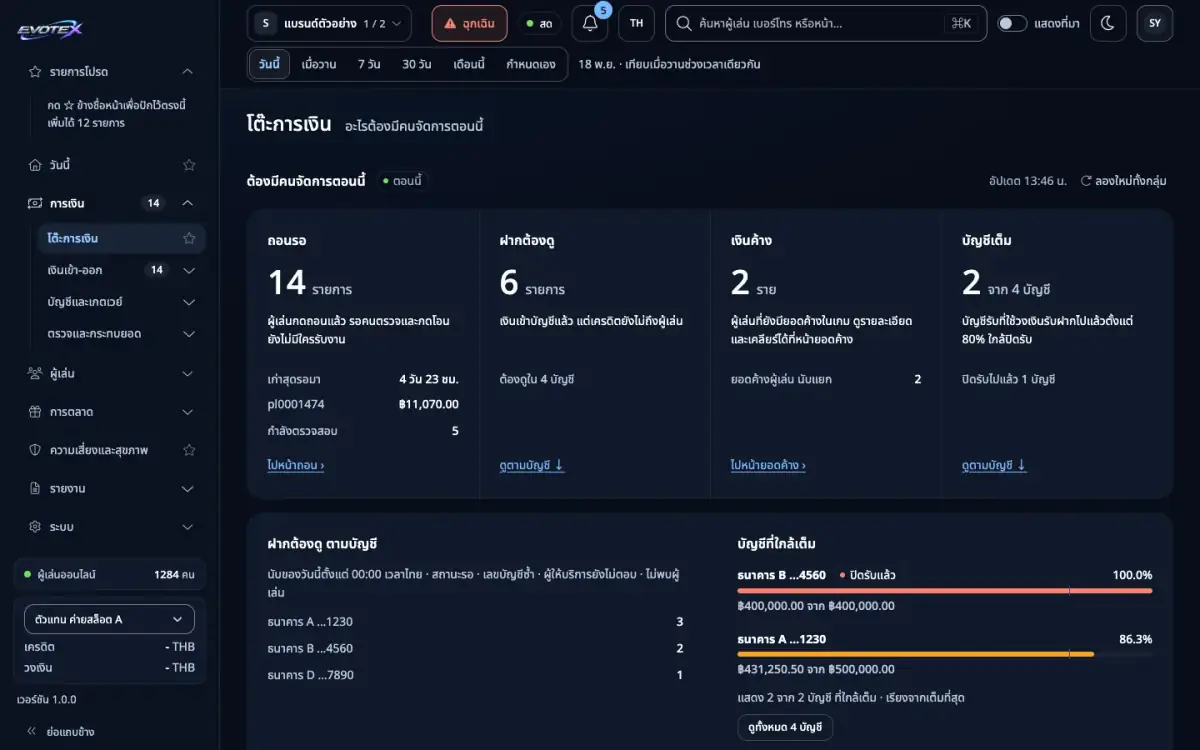
Finance desk: the queues that need a person right now
The strip of queues that need a person right now: pending withdrawals, deposits to review, money in limbo, and full accounts
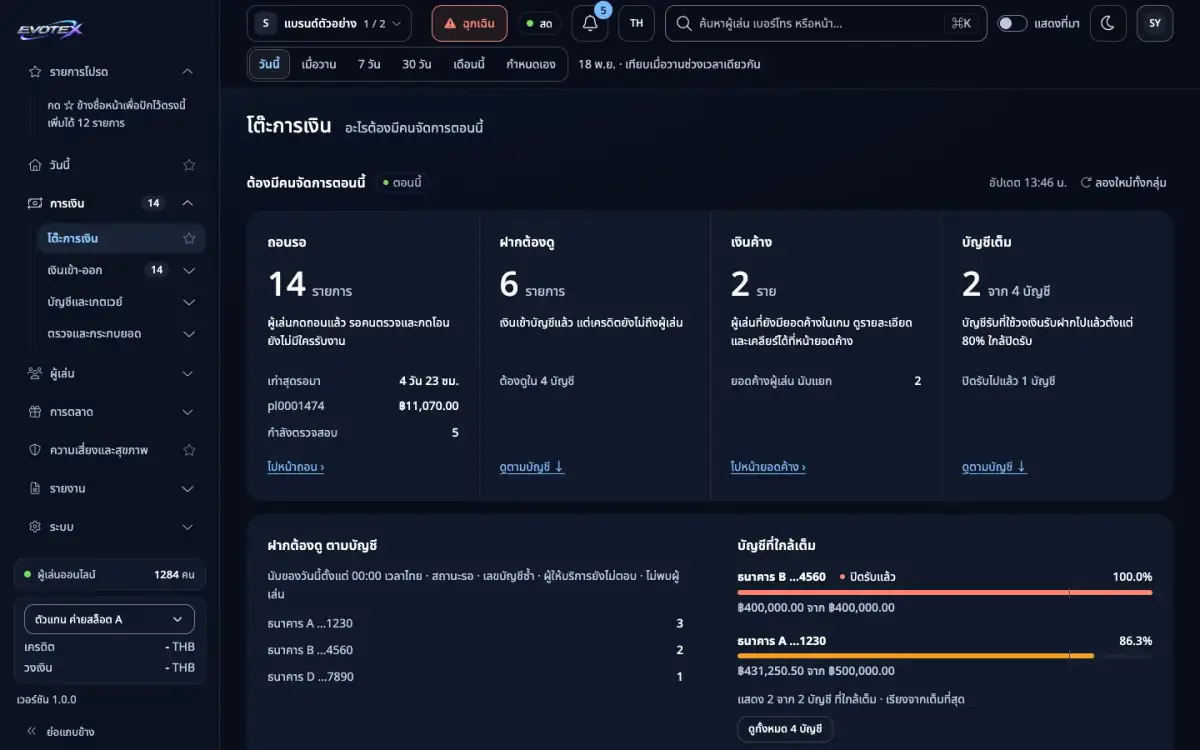
screenshot from the live system Screen from the newer back office (blue theme), with sample data from a prototype. The demo on this site has a different look (teal theme) and does not have this page yet, so only the picture is shown. Finance desk: accounts to review
The list of accounts whose deposits need review and accounts close to full
screenshot from the live system Screen from the newer back office (blue theme), with sample data from a prototype. The demo on this site has a different look (teal theme) and does not have this page yet, so only the picture is shown. Deposits and receiving accounts
The receiving accounts strip with the number waiting for review, and the deposits of the chosen account
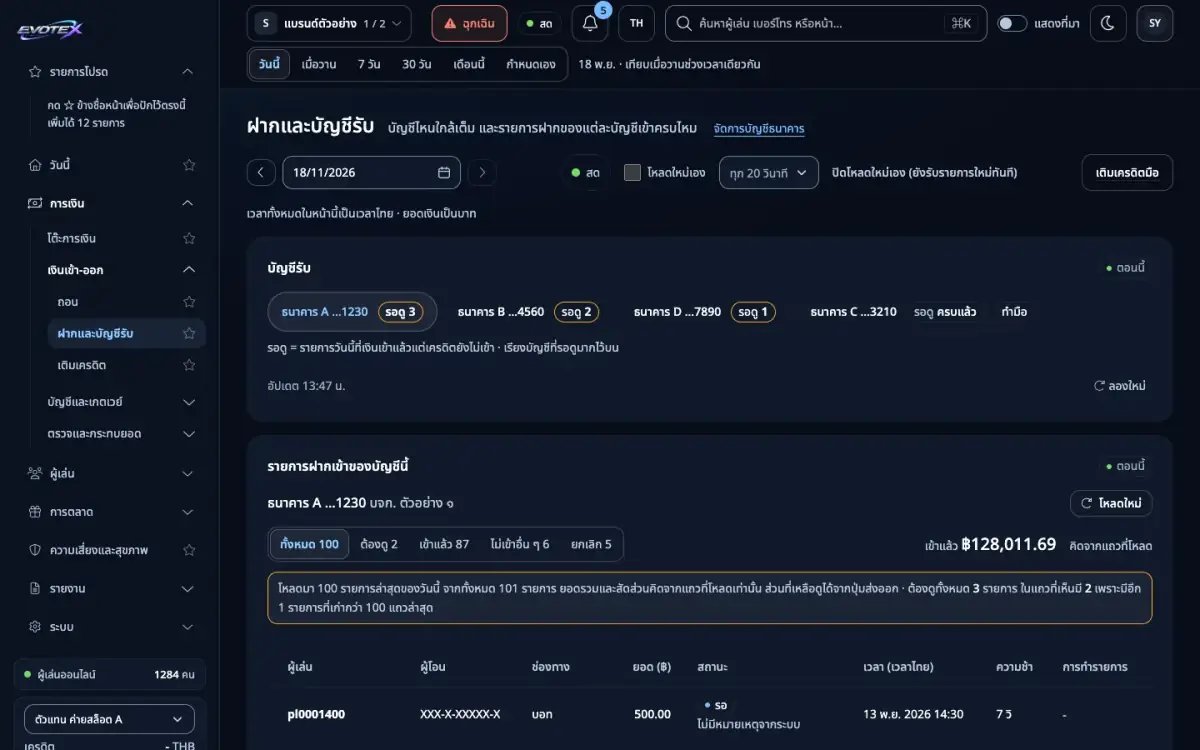
screenshot from the live system Screen from the newer back office (blue theme), with sample data from a prototype. The demo on this site has a different look (teal theme) and does not have this page yet, so only the picture is shown.
Not in the demo yet
Items that are not in the demo yet
- The deposit channels open to real players depend on the brand's connections. The demo isn't connected to a real money system.
- Automatic withdrawal payouts need accounts and permissions from the provider. Our team helps set them up at installation.
Frequently asked questions
Which channels can automatic deposits and withdrawals work with in the back office?
Our example brand has automatic deposits and withdrawals open, and the back office handles the whole team side, including automatic deposit items, automatic flags, rotation plans, and withdrawals that are paid automatically. The channels open to real players depend on the brand's connections. We don't put bank or payment provider names on this site. Ask our team when you discuss the scope.
Is the demo connected to a real money system?
No. The demo runs entirely on sample data. You can click approve or reject, but no real money moves. Every name, phone number, and row is data made up for trying it out.
How does the system handle money that the bank hasn't answered yet?
The demo has a page for money with an unknown result. It gathers items that were sent for payment but not yet confirmed by the destination. The system holds the item and doesn't accept the same money order again until the team closes the item. This rule was designed from the system documents, and we haven't tested it with a live payment system. Try it on the money with an unknown result page (opens in a new tab).
Related reading
How the withdrawal queue works
The finance team's order of work
How automatic deposits and withdrawals work
Automatic doesn't mean the finance team has nothing to do. It means items that meet the conditions finish by themselves.

Want to see the real thing before you talk to us?
Our team's target is to open a new brand within 14 to 21 working days after the scope is agreed. That's a target, not a guarantee. See packages and pricing (page in Thai) or try the back office demo (page in Thai) before you talk to our team.
See the package and price (page in Thai)