
Players and contact: faster replies, marketing sends its own messages
Support has to find the player and reply fast. The marketing team has to get news to players without waiting for anyone. The package includes the brand's player site in the same bundle as this back office. If you're planning your first turnkey betting website, try it and see where your support workload would shrink. Every name and phone number in the demo is made-up data. Anything that's still a sample is labeled under that item.
Not for: teams that need to answer chat on channels other than LINE from one back office. The demo currently has LINE chat only.
8
Features in this group
8
Items you can try in the demo
All
The demo uses sample data throughout
Every page in the demo uses sample data and has nothing to do with any brand's money or accounts
Players and contact: feature by feature
- sample in the demo
Search players by name, number, or by pressing /
Type and find them, and save the filters you use often to call up again
The search box at the top takes a name, a username, or a phone number. Press the / key or ⌘K to start typing right away. The Players page has view buttons and an account status filter, so support, who answer account questions all day, don't have to set the filters again every time, because a set of filters can be saved and called up again.
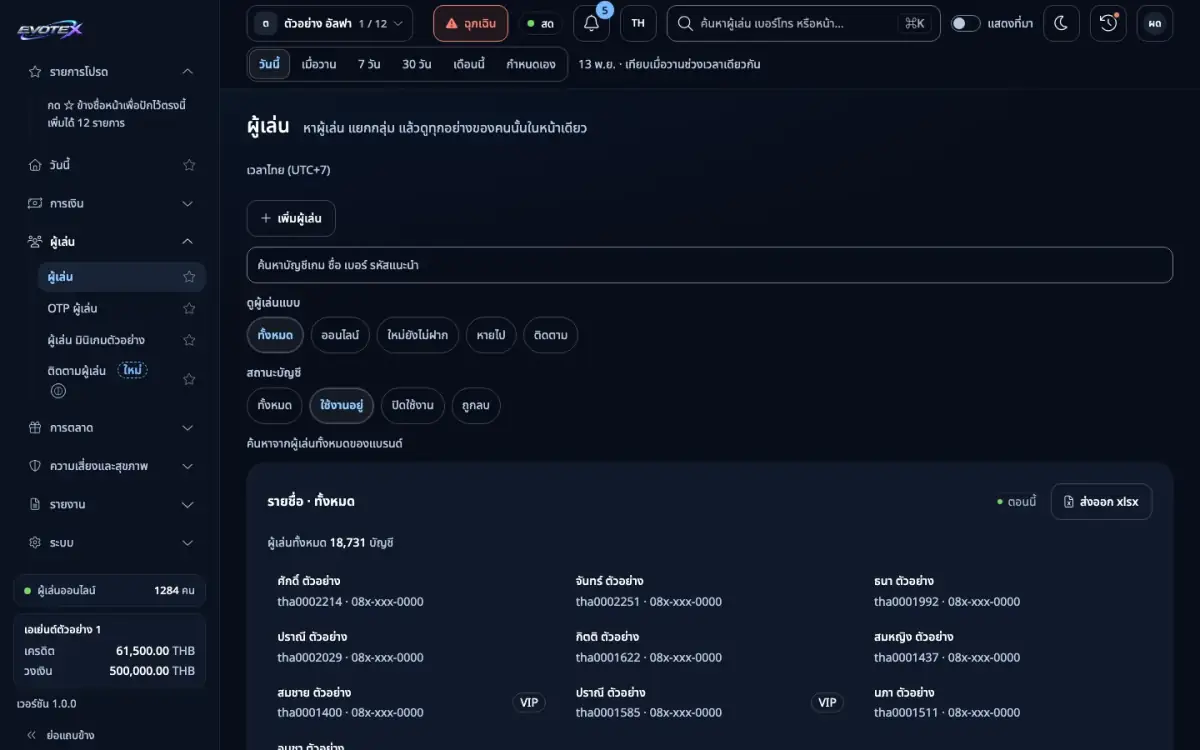
(sample data from the EVOTEX demo) - sample in the demo
Choose which columns to see, and save filters
See only the data the team really uses, with no scrolling around the table
The player table lets you show or hide columns. The support team turns on only what they use to answer cases, and the marketing team turns on a different set, and each saves a set of filters to reuse. Phone numbers and account numbers are always partly masked, and full numbers can be seen only by roles that have the permission to view full numbers. A saved filter can be called up again every day.
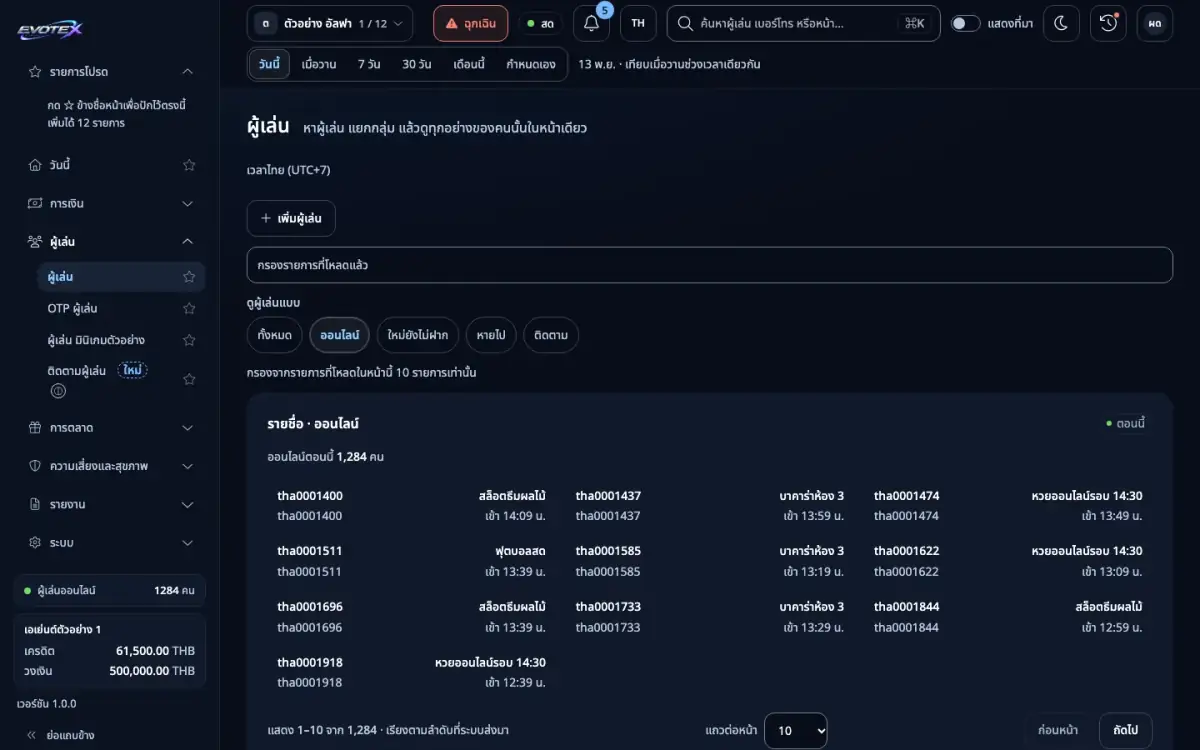
(sample data from the EVOTEX demo) - sample in the demo
A player profile with seven tabs
Open one player and see the account, credit, and activity all together
Open a player and you get 7 tabs, such as overview, activity, and bank accounts. Support sees the account details, the balance, and the credit history, with a button to give free credit and a link to that person's waiting withdrawals. There's no switching between several pages to answer one question. You can reply to a player faster because the information is in one place.
VIP risk and team notes are samples, not connected to the system yet
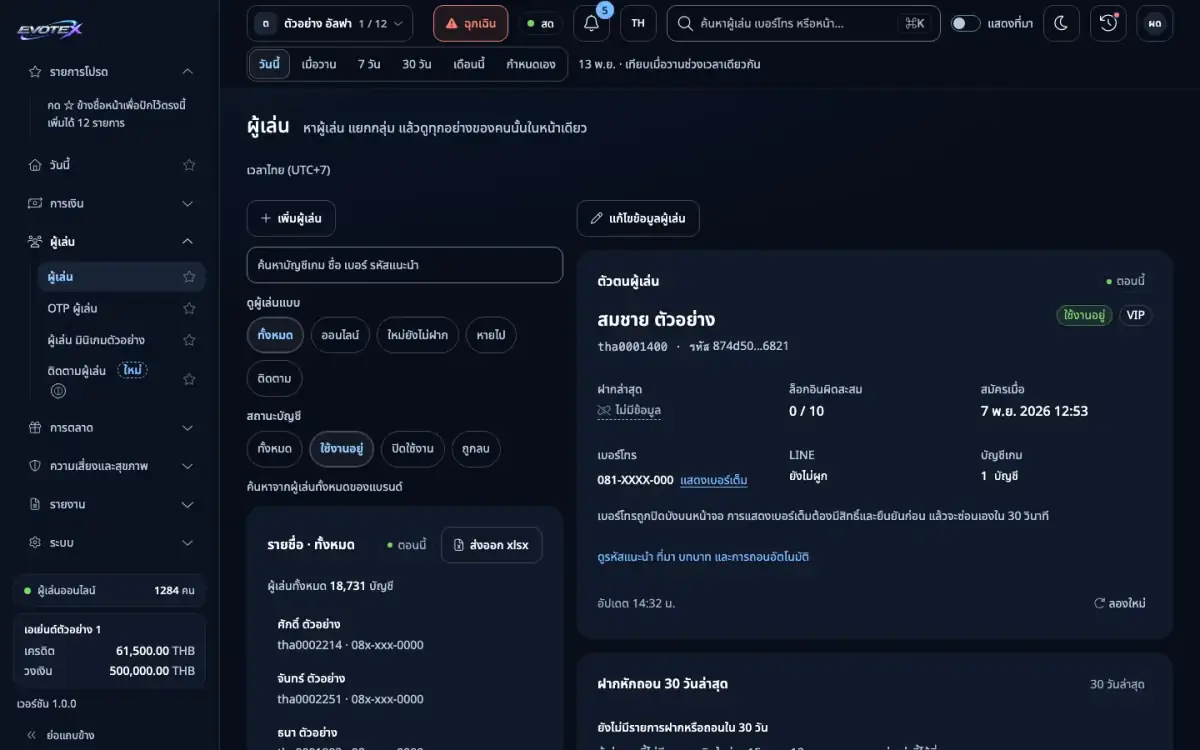
(sample data from the EVOTEX demo) - sample in the demo
Reply on LINE chat, with one button to the person who has waited longest
Support sees the waiting rooms and can reply to the longest wait at once
Every chat room is tied to a LINE OA account and gathered on one page. Support clicks a single button to reply to the person who has waited longest, takes a case as their own, changes a room's status, adds tags, and sends quick messages. On a phone, the room list and the messages take turns as two screens. The support team sees how long each room has been waiting from the first glance.
- sample in the demo
Set auto-reply rules, and test a message before you use it
Repeated questions answer themselves, and support has time for cases that need a person
The team sets rules so the system replies by itself when a message matches the words you set. You can set 1 to 50 trigger words, choose to match exactly, match when the message contains the word, or match by a pattern you define, and reply with 1 to 5 messages per rule. There's a box to type a test message before you turn a rule on. Checking rules before you turn them on helps reduce wrong replies.
- sample in the demo
Connect several LINE OA accounts per brand
Look after a brand's several official accounts from one page
The LINE OA tab lets a brand connect several official LINE accounts. Each chat room says which account it came from, so support replies from the right account without switching apps. The Chat overview tab shows cases per day, how long players wait, and LINE statistics. There's no switching apps or accounts when players get in touch, one channel at a time.
- sample in the demo
Send SMS on a schedule, or from a CSV file
Plan sends ahead of time, or upload a list and send right away
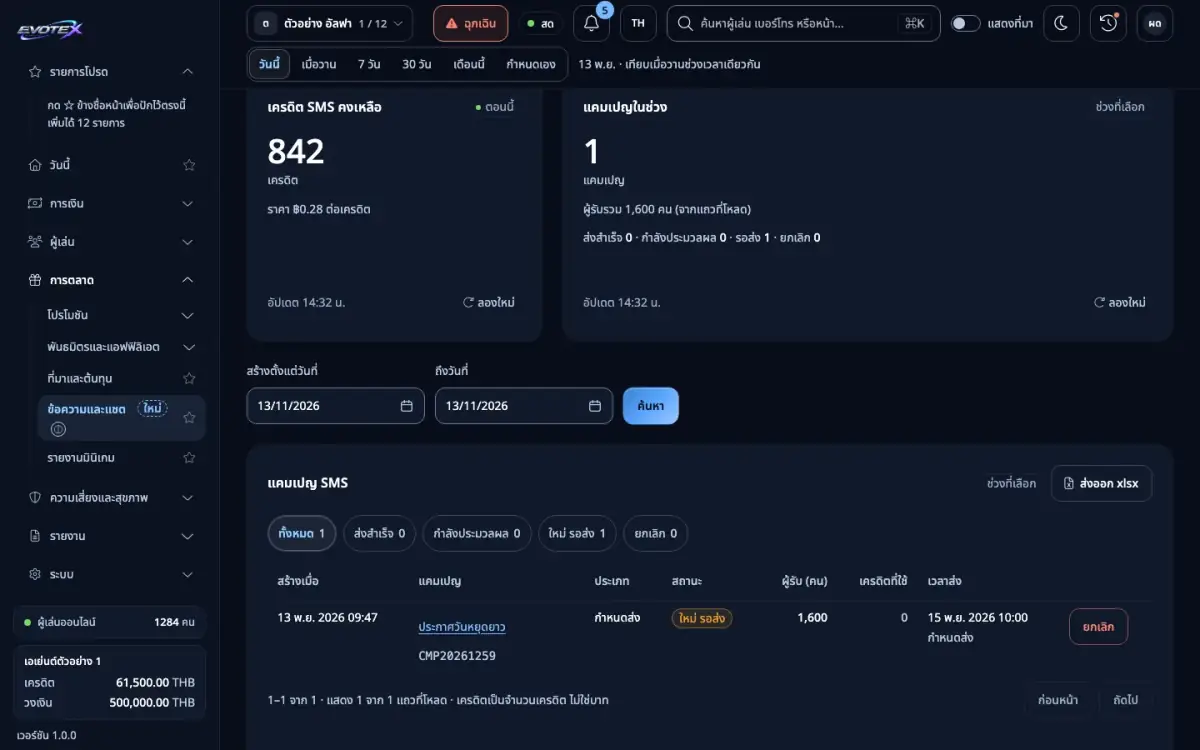
The SMS tab creates campaigns of up to 1,000 numbers each, and the numbers must belong to the brand's players. You can schedule a send up to 90 days ahead, send urgently right away, or upload a csv, xlsx, or xls file up to 5 MB, and the system checks the file before sending. The marketing team can plan a whole week of sends in one round.
In the demo you can click send, but no real messages go out
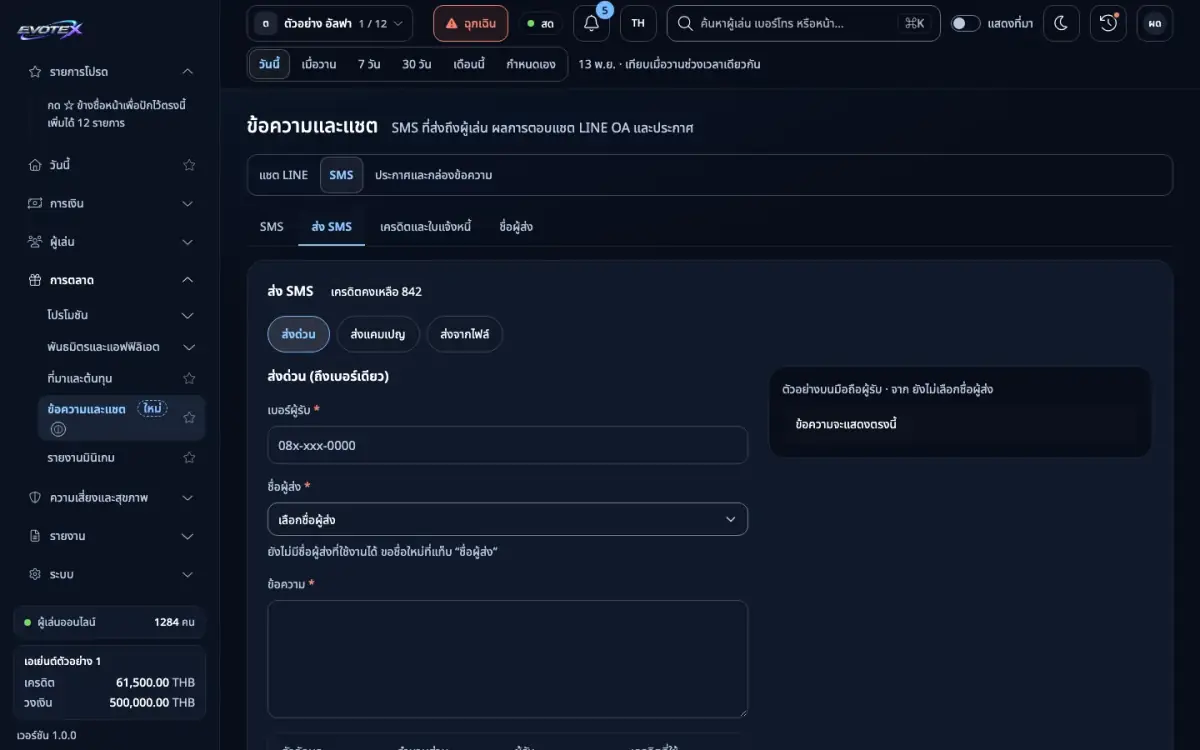
(sample data from the EVOTEX demo) - sample in the demo
Send notifications to players' devices
Send a brand's news to Android and iOS web, choosing the recipients yourself
The in-app notifications tab sends a message to Android or iOS web. You can choose up to 5,000 players per send, and see your credit and sending history on one page. The marketing team uses it to announce brand news, such as a system upgrade, without waiting for the engineering team. Players get the news on time, and the team doesn't wait for anyone.
In the demo you can click send, but no real messages go out
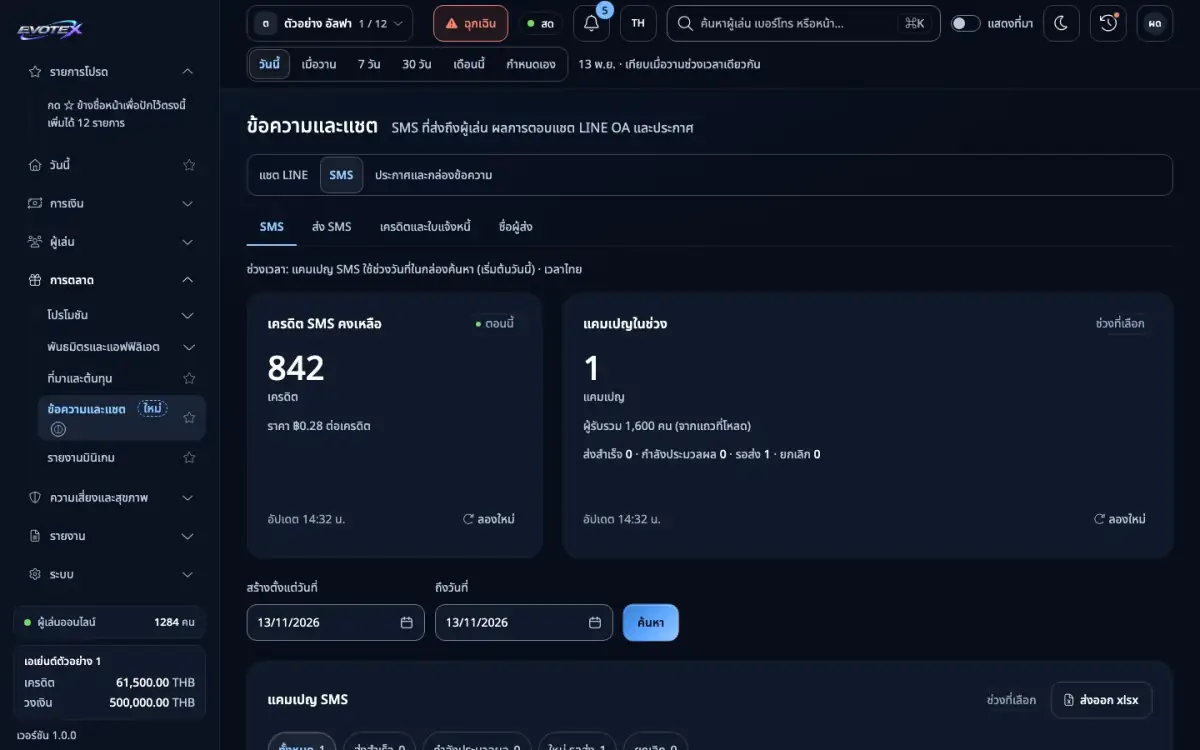
(sample data from the EVOTEX demo)
Screens from the newer back office
More screens of this group from the newer back office, blue theme. It looks different from the demo above, which has a teal theme. You can only view the pictures; you cannot try it in the demo on this site.
Messages and chat: SMS credit
SMS credit and the list of message campaigns
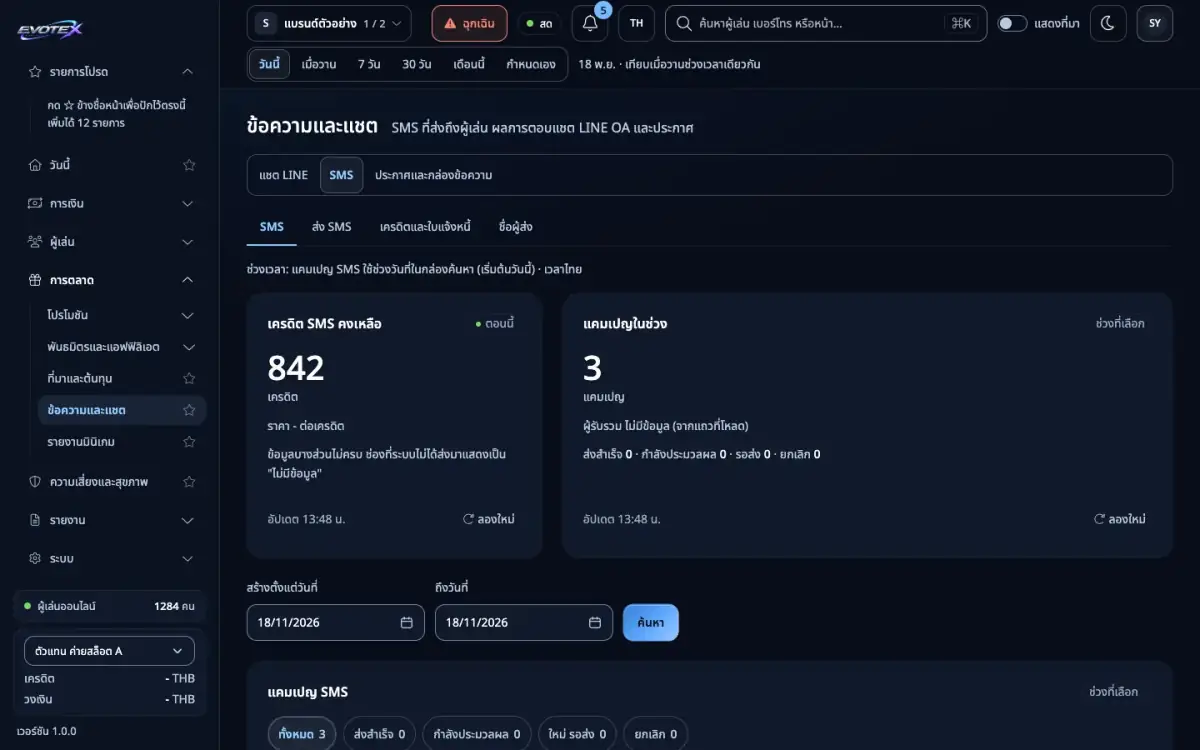
screenshot from the live system Screen from the newer back office (blue theme), with sample data from a prototype. The demo on this site has a different look (teal theme) and does not have this page yet, so only the picture is shown.
Not in the demo yet
Items that are not in the demo yet
- Chat in the demo covers LINE only, with no Telegram or Facebook.
- Group broadcasts with open and click results have a screen to look at, but the real sender is still waiting to be built on the system side.
- The AI assistant for chat doesn't count as something that works yet. The part of the demo where you test it is simulated.
Frequently asked questions
Does chat in the back office support channels other than LINE?
The demo has LINE chat only. Every chat room is tied to a LINE OA account, and there's no Telegram or Facebook chat. If your business needs to reply on other channels, ask our team when you discuss the scope.
Can AI reply to chat in place of a person?
The back office has a field for the starting instructions of the AI assistant for LINE chat, but the part of the demo where you test it is simulated, so we don't say it replaces a person on every case. Auto-reply rules that match words already work in the demo.
Is the player data in the demo real?
No. Every name, phone number, and row is sample data, and phone numbers and account numbers are partly masked on screen, for example 081-xxx-4821. If your team wants to check a name before accepting a new account, the Players page has a blacklist check that only answers whether the player is on it or not.
Related reading
A day for the owner, finance team, and support
The owner opens the Today page and sees net, deposits, withdrawals, new members, and pending withdrawals on one page.

Want to see the real thing before you talk to us?
Our team's target is to open a new brand within 14 to 21 working days after the scope is agreed. That's a target, not a guarantee. See packages and pricing (page in Thai) or try the back office demo before you talk to our team.
See the package and price (page in Thai)